PostalAgent connects to Zoho to send real, physical postcards to your contacts — no printing, stamps, or trips to the post office. Import contacts directly from Zoho, choose a design, and we handle the rest. Perfect for just-solds, farming, client anniversaries, and staying top of mind with your sphere.
Overview
PostalAgent is a direct mail platform that lets real estate agents send postcards to their contacts without printing, stamps, or post office trips. With this integration, Zoho users can import contacts directly into PostalAgent and send them professionally printed postcards in just a few clicks.
This Zoho Extension is only available to users in North America.
Benefits
-Send postcards to leads, past clients, and farm areas without leaving your workflow
-No CSV exports or manual data entry — search and import contacts directly
-Stand out from the crowded inbox with physical mail that gets noticed
-Great for just-sold announcements, open house invites, geographic farming, client anniversaries, and thank-you cards
What syncs
Contact data (name, address) syncs one way from Zoho into PostalAgent. You search and select which contacts to import — nothing syncs automatically.
How It Works
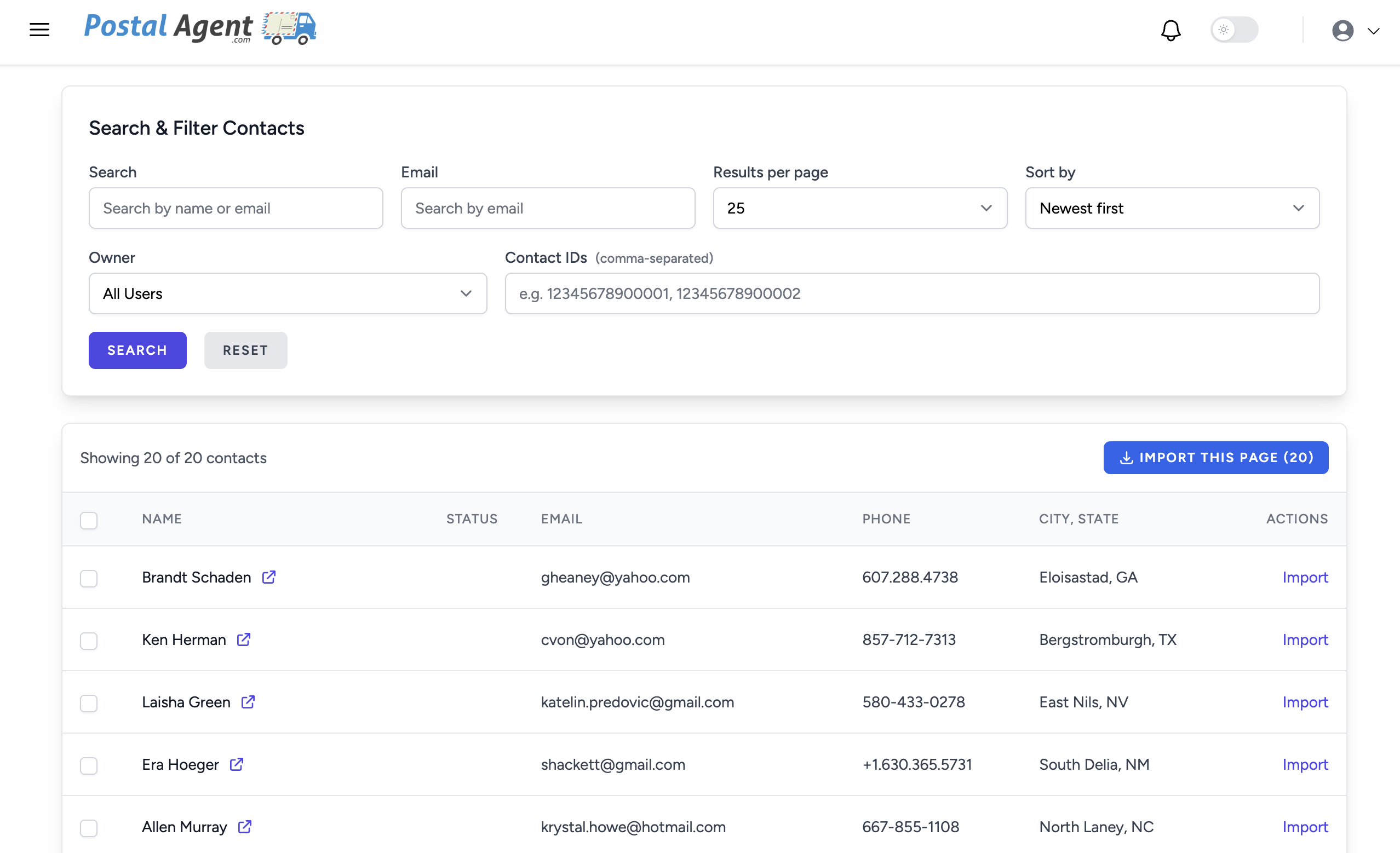
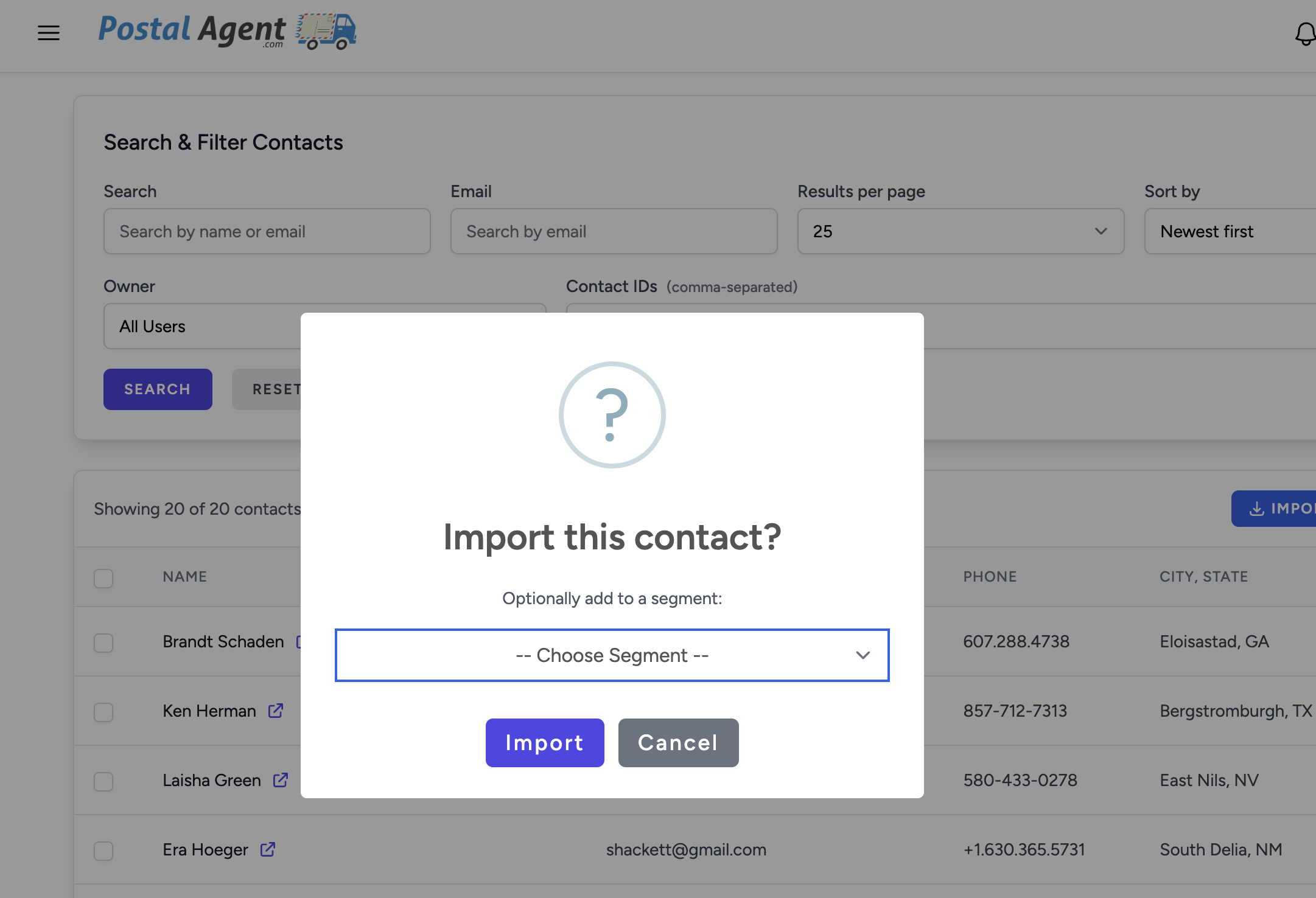
Once connected, you can browse your Zoho contacts directly within PostalAgent. Search or filter to find the contacts you want, select them, and import them into a PostalAgent mailing list. From there, choose a postcard design (or upload your own), and PostalAgent prints and mails the postcards within 1-2 business days.
How to Set It Up
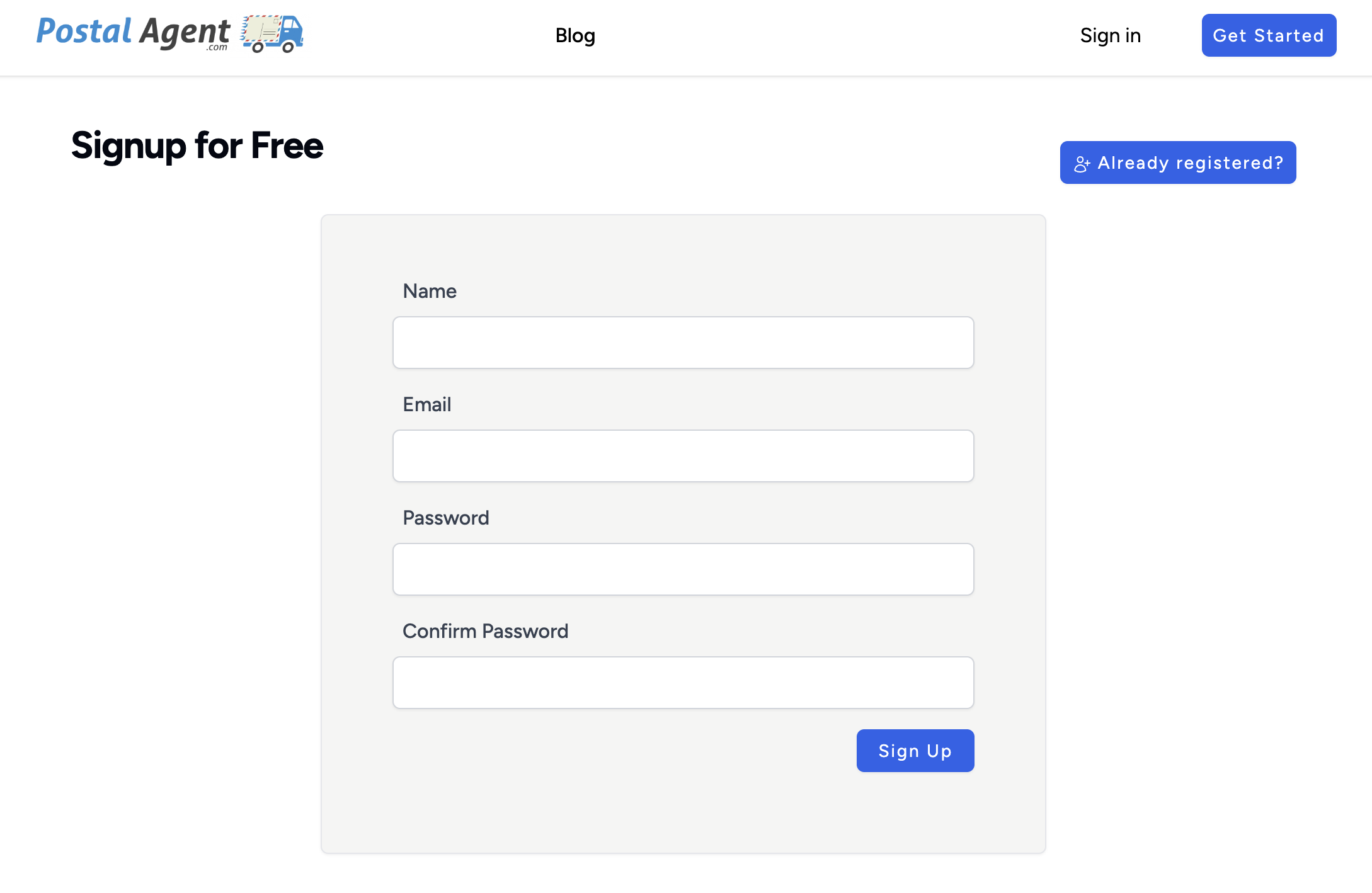
- Sign up for a free PostalAgent account
- Click Integrations in the left sidebar
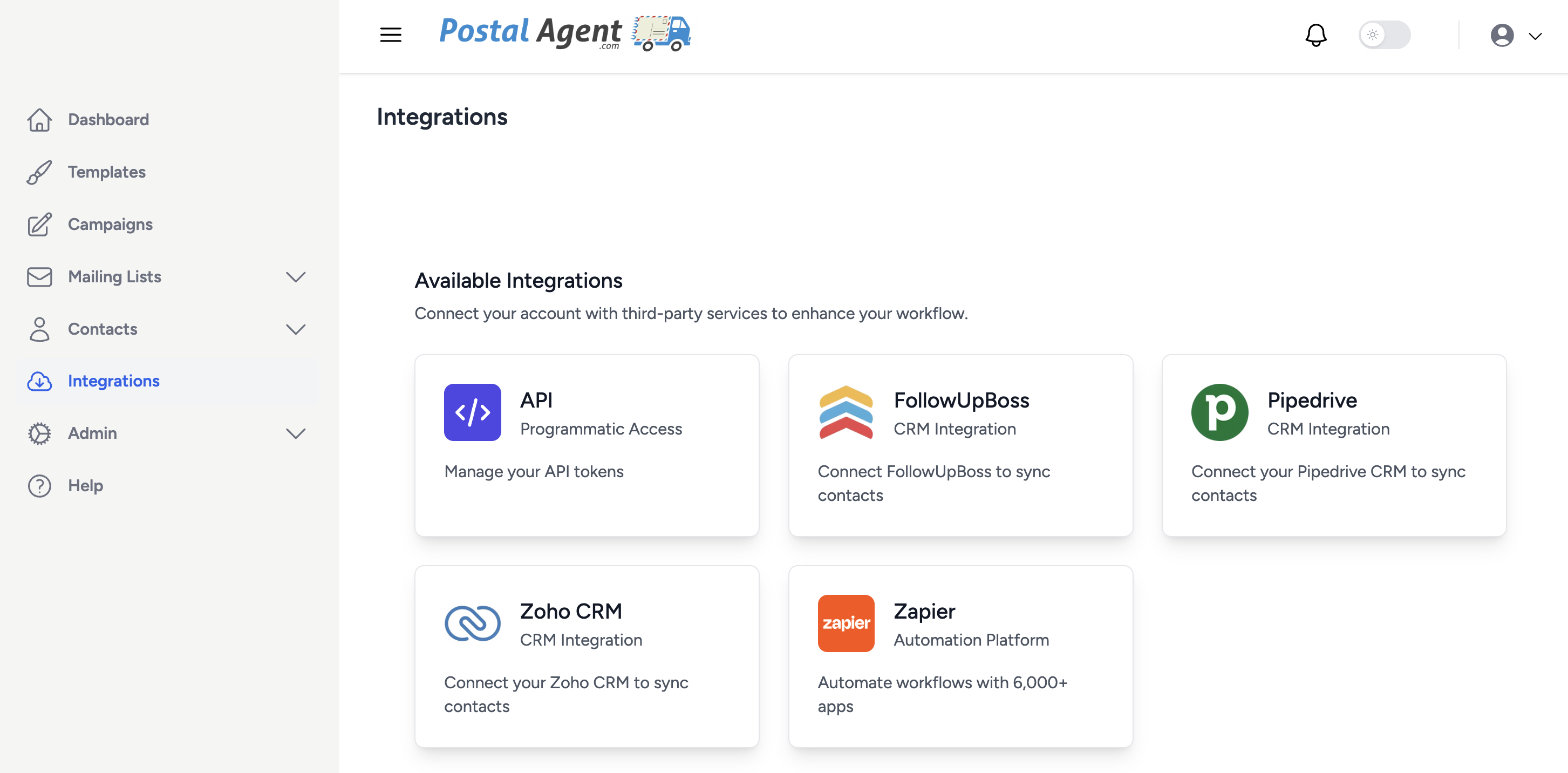
- Find Zoho and click Connect
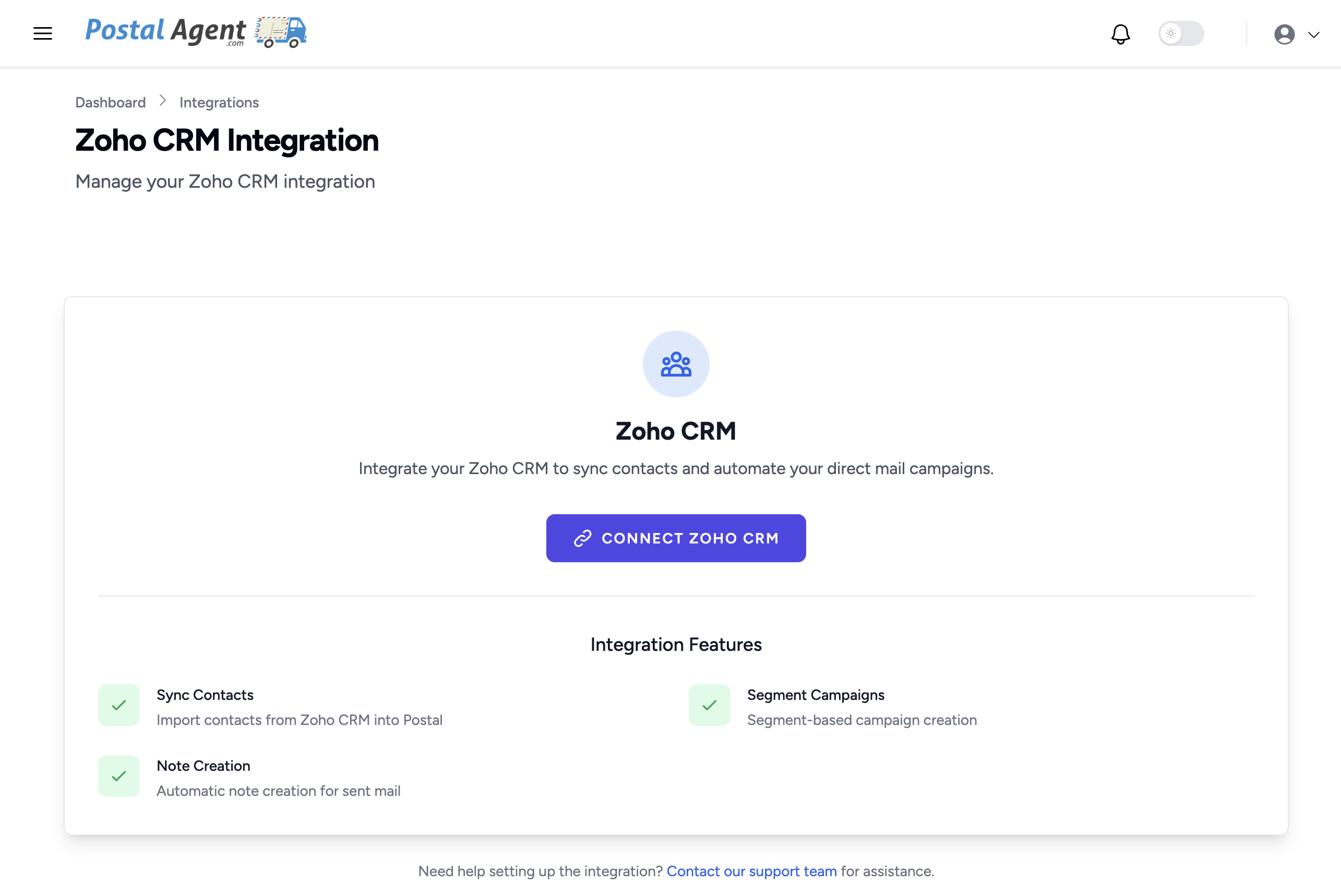
- You'll be redirected to Zoho to authorize the connection — click the Checkbox & then Accept

- Once approved, you'll be redirected back to PostalAgent and your Zoho account will be connected
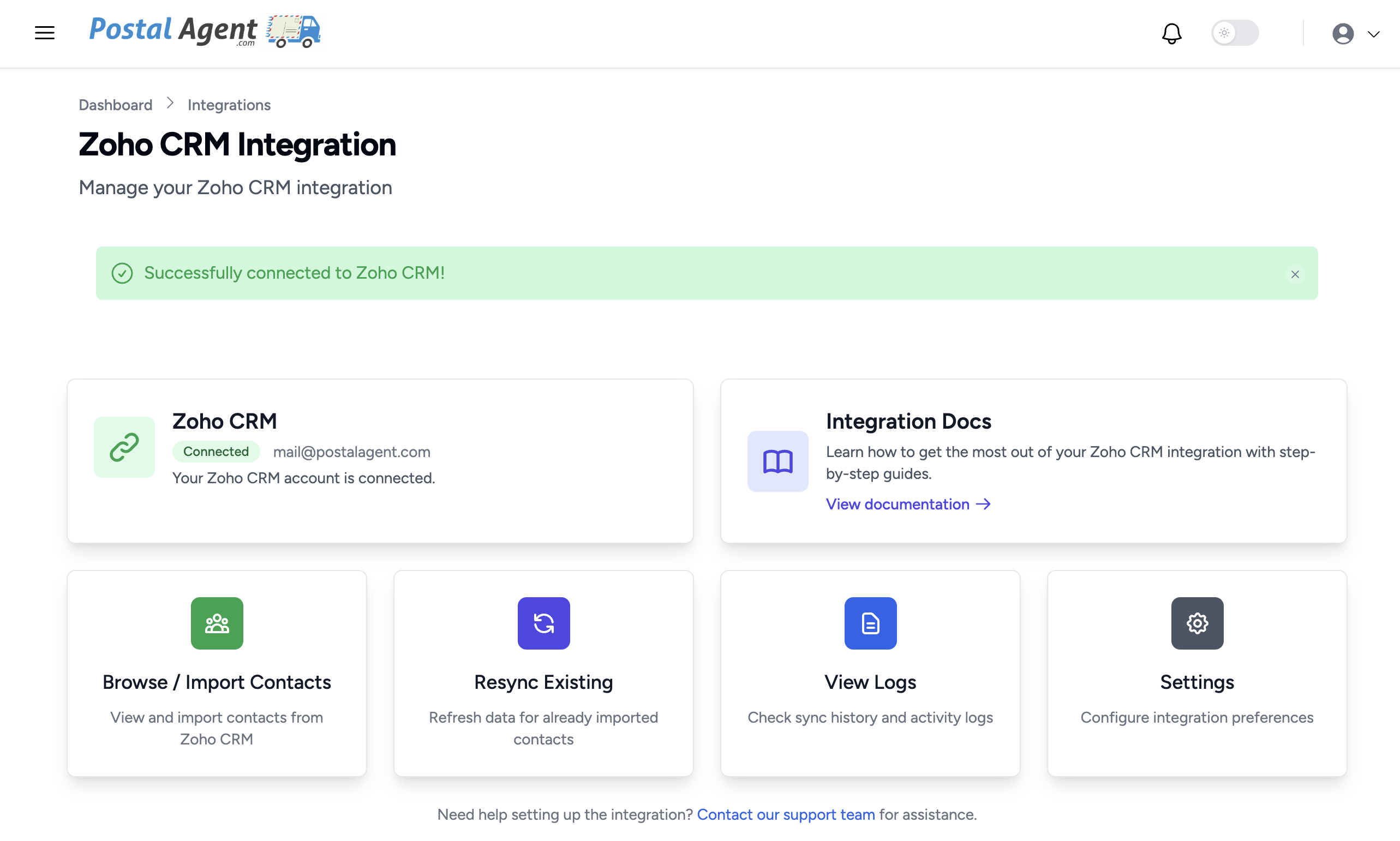
- To import contacts, go to Integrations → Zoho → Browse & Import Contacts
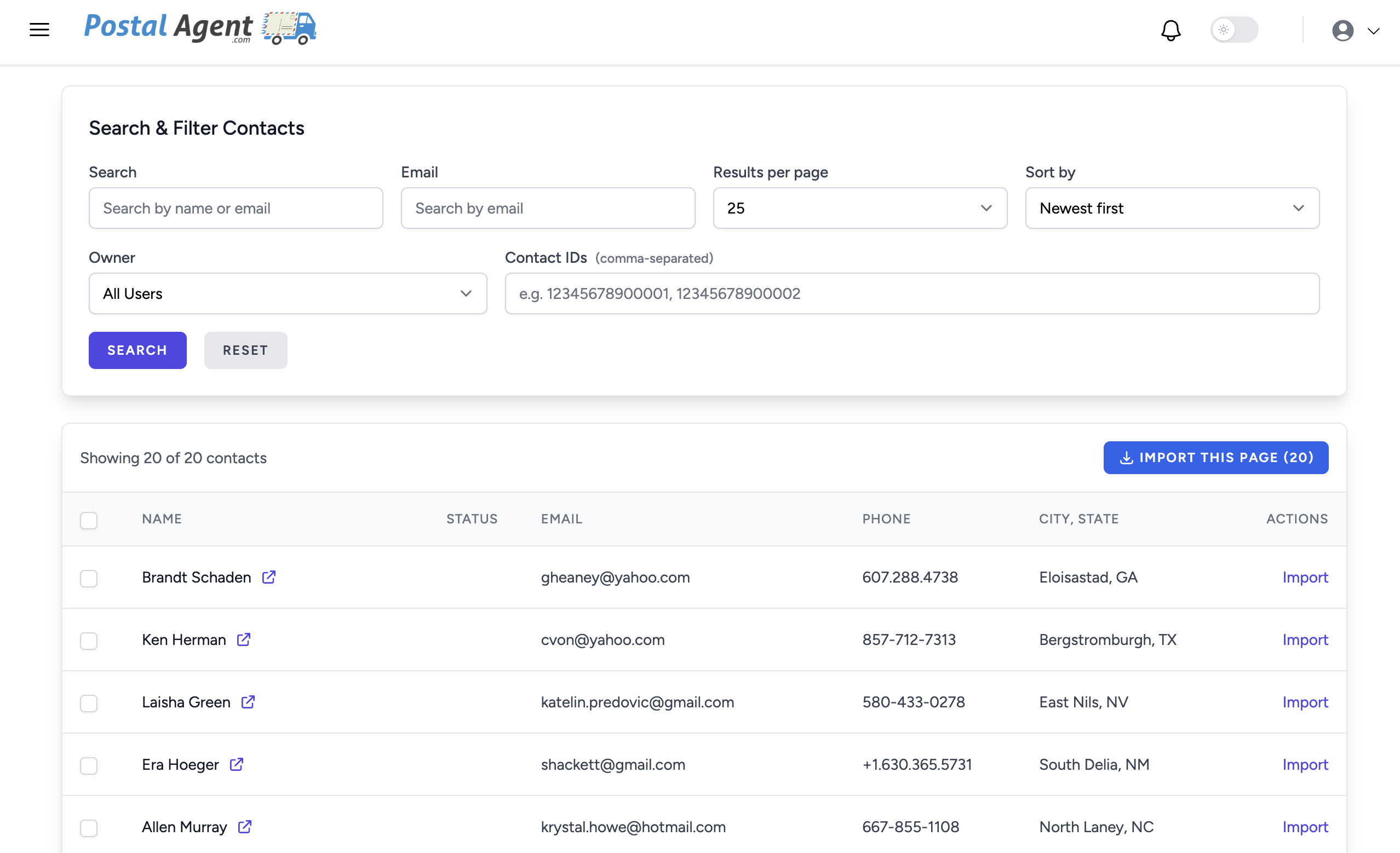
- Search or filter to find the contacts you want, select them, and click Import
Troubleshooting
"I don't see my contacts after connecting" Make sure you've navigated to Integrations → Zoho → Browse & Import Contacts. Contacts are not automatically synced — you need to search and import them manually.
"A contact is missing their address" PostalAgent requires a mailing address to send postcards. If a contact doesn't have an address in Zoho, they won't be available for import. Add their address in Zoho and try again.
"I want to disconnect the integration" Go to Integrations → Zoho → Settings and click Disconnect. You can also revoke access from within Zoho in your Settings.
FAQs
Is PostalAgent free?
Signing up is free. You only pay when you send postcards. Upgrade to a monthly plan for cheaper Postcard rates
Do I need to be the Zoho account owner to connect?
No. Any Zoho user can connect their own account via OAuth.
Do contacts sync automatically?
No. You choose which contacts to import. Nothing syncs automatically or in the background.
Can I send postcards to a specific Filter in Zoho?
Yes, you can search by name, email, owner, filters or ID and then import the Contacts
How long does it take for postcards to arrive?
Postcards are printed and mailed within 1-2 business days. Delivery time depends on USPS, typically 7 days.
Need Help?
If you have questions or run into any issues, contact us at or visit our Support page.